ZWCAD 2027 Review: Faster, Smarter, and Extremely Impressive at the Things That Enhance Productivity
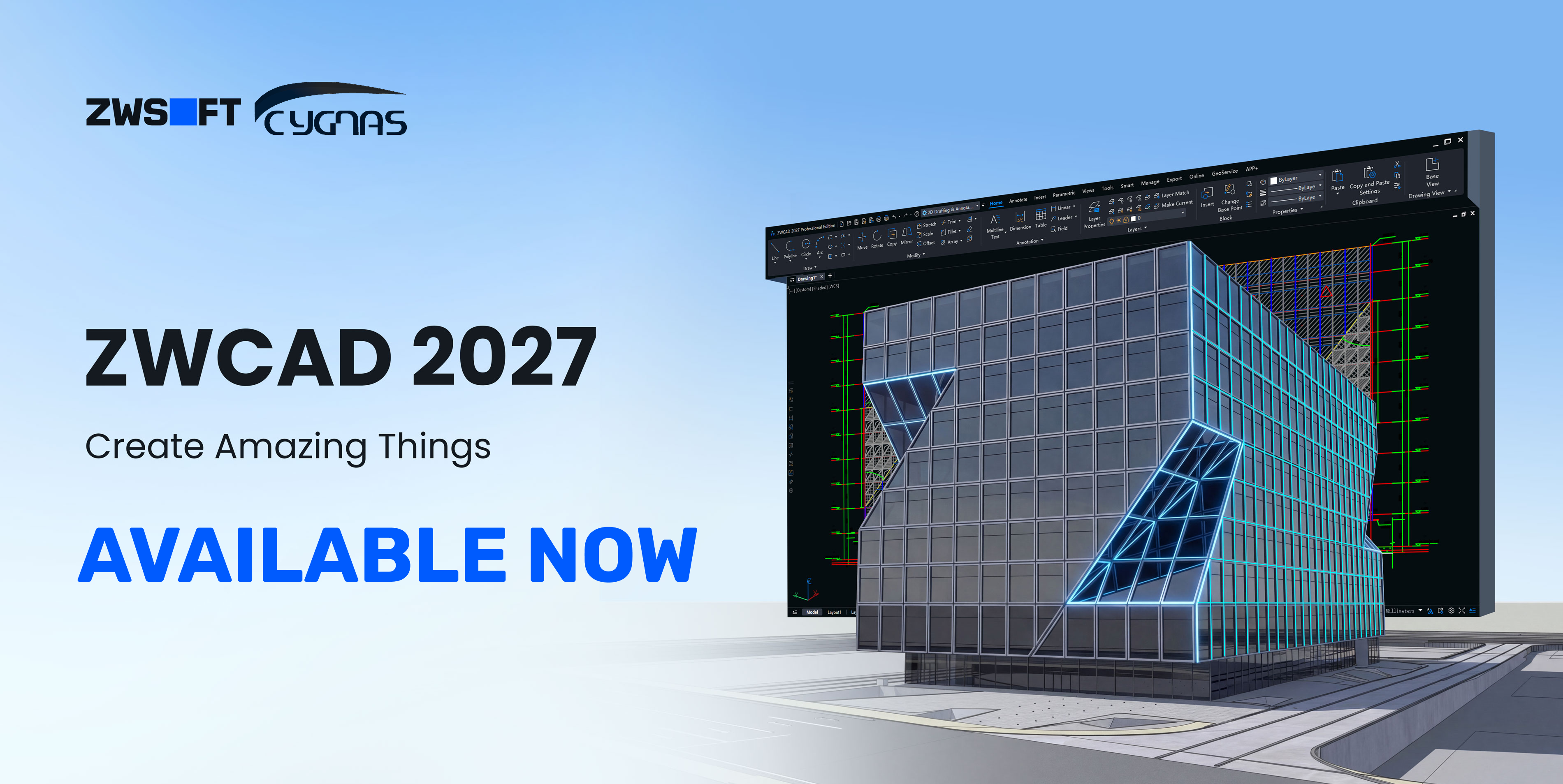
The best CAD software is the one that gets out of the way and lets you design.
There is a version of CAD software that feels frictionless, where files open immediately, data moves between drawings without manual intervention, models from other disciplines can be accessed without additional licences, and print layouts optimise themselves rather than requiring someone to spend an hour rearranging them. A version where the tool serves the work, rather than the work pausing to serve the tool.
For a long time, that description was aspirational for most UK practices. The dominant platforms became increasingly capable in some areas while remaining stubbornly manual in others and the annual renewal cycle meant there was little commercial pressure to address the frustrations that practitioners had learned to work around.
ZWCAD 2027 arrives as a direct challenge to that status quo. With native Revit file import, performance benchmarks that put it nearly twice as fast as AutoCAD in complex 2D drafting, and a suite of automation tools that eliminate entire categories of repetitive work, this release makes a credible case that the workflow most UK engineers and architects have accepted as normal is not, in fact, the best available. Here is a detailed look at what has changed and what it means in practice.
First: who actually makes ZWCAD?
This matters more than most software reviews admit. The number one unspoken concern when evaluating any AutoCAD alternative is: will this company still be here in five years? It’s a fair question.
ZWSOFT was founded in 1998; the same year Google was incorporated, to put that in context. For over 25 years, they have focused on a single mission: build professional-grade CAD and design software that gives engineers and architects the tools they need without the enterprise price tag that’s become the industry norm.
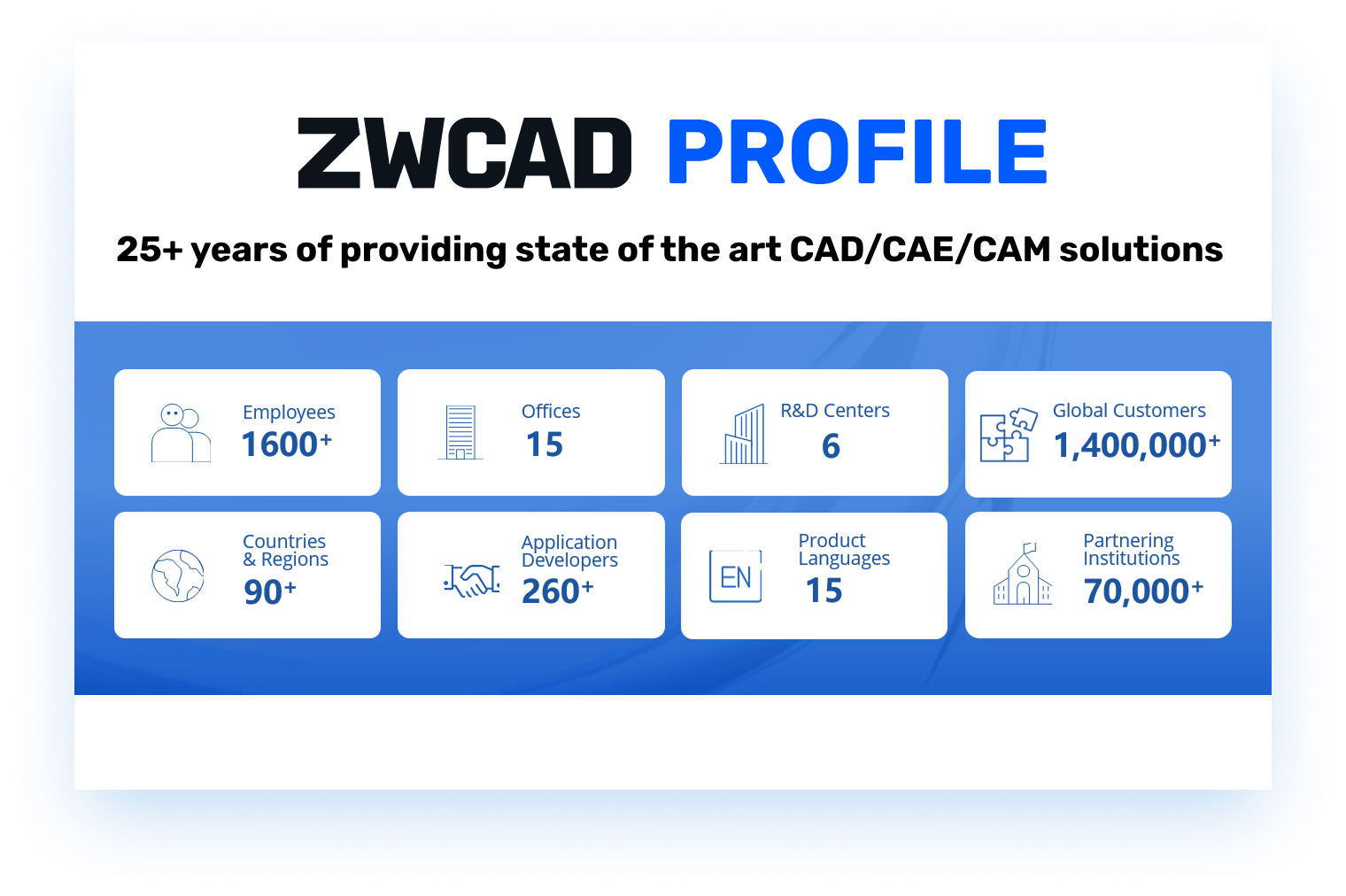
Today, ZWSOFT serves over 1.4 million users across 90+ countries, including 149 Fortune 500 corporations. This is not a startup trying to undercut a market leader. It is a mature engineering software business with a 25-year track record, a global support network, and crucially, an R&D team that has been rebuilding core components of ZWCAD from the ground up to prepare for this generation of releases.
In the United Kingdom, Cygnas Solutions Limited is the authorised Reseller for ZWCAD. We’ve helped over 100 UK firms transition their CAD workflows; from small architectural practices to mid-sized structural engineering consultancies and provide UK-based technical support, hands-on onboarding, and ongoing consultancy throughout the process.
What’s actually new in ZWCAD 2027
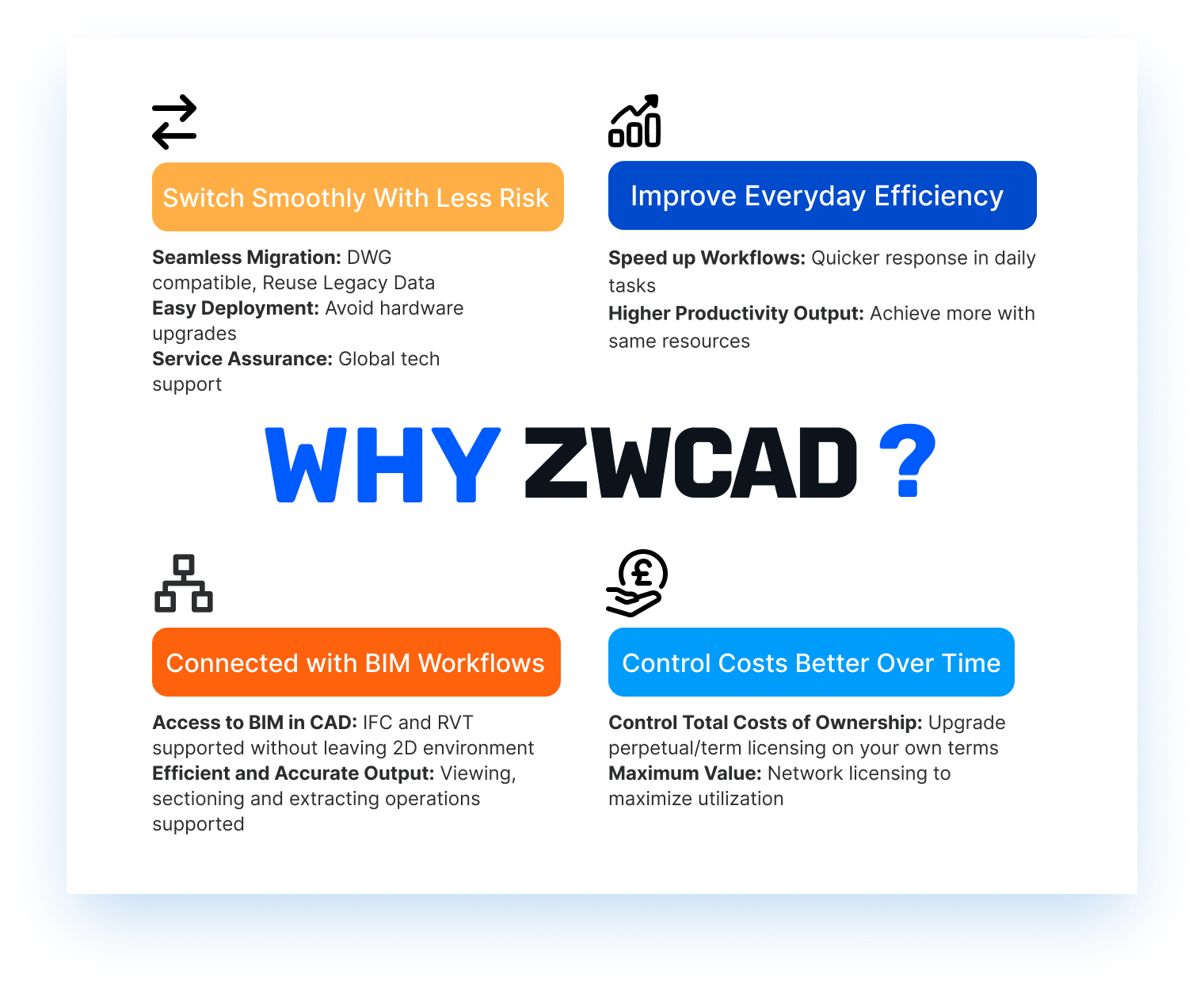
ZWCAD 2027 is built around one clear theme: Your time is valuable. So, it should not be spent on tasks the software should handle for you. **Every major update in this release targets a real workflow frustration.**Where previous versions required a sequence of commands, 2027 collapses them into a single action. Let’s look at the significant ones.
🏗 BIM in CAD: Import Revit files directly
This is arguably the headline capability of the 2027 release, and it solves a very specific frustration that’s become increasingly common in UK practices: a client or structural engineer sends you a Revit model, and you don’t have, or don’t want to pay for a Revit licence just to extract the information you need from it.
ZWCAD 2027 now imports RVT files natively, supporting Revit versions 2015 through 2025. On import, ZWCAD automatically extracts categories, families, materials, and layer structures, giving you a clean, manageable layer panel in your familiar CAD environment. Combined with the new 3D Section View, you can inspect, section, and annotate Revit models without ever opening Revit.
It’s worth being clear on what ZWCAD is not: it’s neither a BIM authoring tool nor does it position itself as a Revit replacement. It’s a highly capable CAD companion that now speaks BIM, which is exactly what a lot of UK design teams actually need.
✂️3D Section View: A CT scan for your models
Anyone who has spent time trying to understand a complex 3D model by rotating it endlessly on screen will appreciate this. ZWCAD 2027’s new Section View commands let you slice through any 3D model, using box or plane sections, to immediately see what’s inside without destructive editing.
Importantly, this works across DWG objects, RVT files, and IFC models. For multi-disciplinary project teams passing models between structural, MEP, and architectural disciplines, this is a practical tool that reduces the back-and-forth of “can you send me a section at grid line C?” requests.
📊Batch Data Extraction: The spreadsheet you used to build by hand
Quantity surveyors and project engineers will know this pain intimately: extracting data from a set of drawings to populate a bill of quantities or a project schedule. In previous versions of most CAD software, including AutoCAD, this meant opening each drawing individually, extracting what you needed, and copying it across. A tedious, error-prone process that scales badly as drawing sets grow.
ZWCAD 2027’s enhanced data extraction runs across multiple drawings simultaneously. Templates are reusable, meaning once you’ve defined what you want to extract, you run it again with one click on the next project. And critically, if a source drawing changes, the extracted data updates automatically, which eliminates a whole category of coordination errors.
Paired with the new coordinate extraction tool (which pulls coordinate data into a formatted table in seconds) and the area/perimeter calculation updates, this is a genuine step-change for teams doing quantity takeoff work.
📈Performance: 150% faster block editing which shows
In-place block editing is one of those tasks that feels fine until you’re working inside a large assembly drawing; at which point every session of double-clicking into a block to make a small change becomes a test of patience as your screen freezes for several seconds.
In ZWCAD 2027, in-place block editing is over 150% faster than the previous version. File open and save times have also improved, and map loading speeds (for teams working with GIS or geospatial data) are up 50%. These aren’t glamorous updates, but they’re the kind that make a real difference to how the software feels on a heavy working day.
🖨Smart Merge: Your plotter will thank you
This one is easy to overlook until you’ve watched a large-format plotter chew through an entire roll of paper printing one drawing per sheet because nobody thought to nest the layouts properly. Smart Merge automatically calculates the optimal arrangement of drawing layouts across your output sheets, with real-time preview before you commit.
For teams printing large drawing sets on roll-format plotters, the paper savings are real. For teams submitting planning drawings or statutory submissions, it also produces cleaner, more professional-looking output. Small feature, meaningful impact.
🗂Xref Display Control: The collaboration fix nobody knew they needed
Ask any CAD manager and they’ll tell you: the most common drawing that gets sent around on collaborative projects is one with chaotic Xref colours that make it nearly impossible to focus on the actual design work. Everyone knows it’s a problem. Nobody has time to fix it properly.
ZWCAD 2027’s Xref Display update lets you batch-override layer colours for all external references in one click, instantly turning everything grey (or whatever you prefer) without touching the source files. Better still, you can create rules that apply automatically whenever an Xref is attached, ensuring consistency across your entire team without relying on anyone remembering to do it manually.
🔄 The Refreshed Interface: 15%5 more space for less visual noise
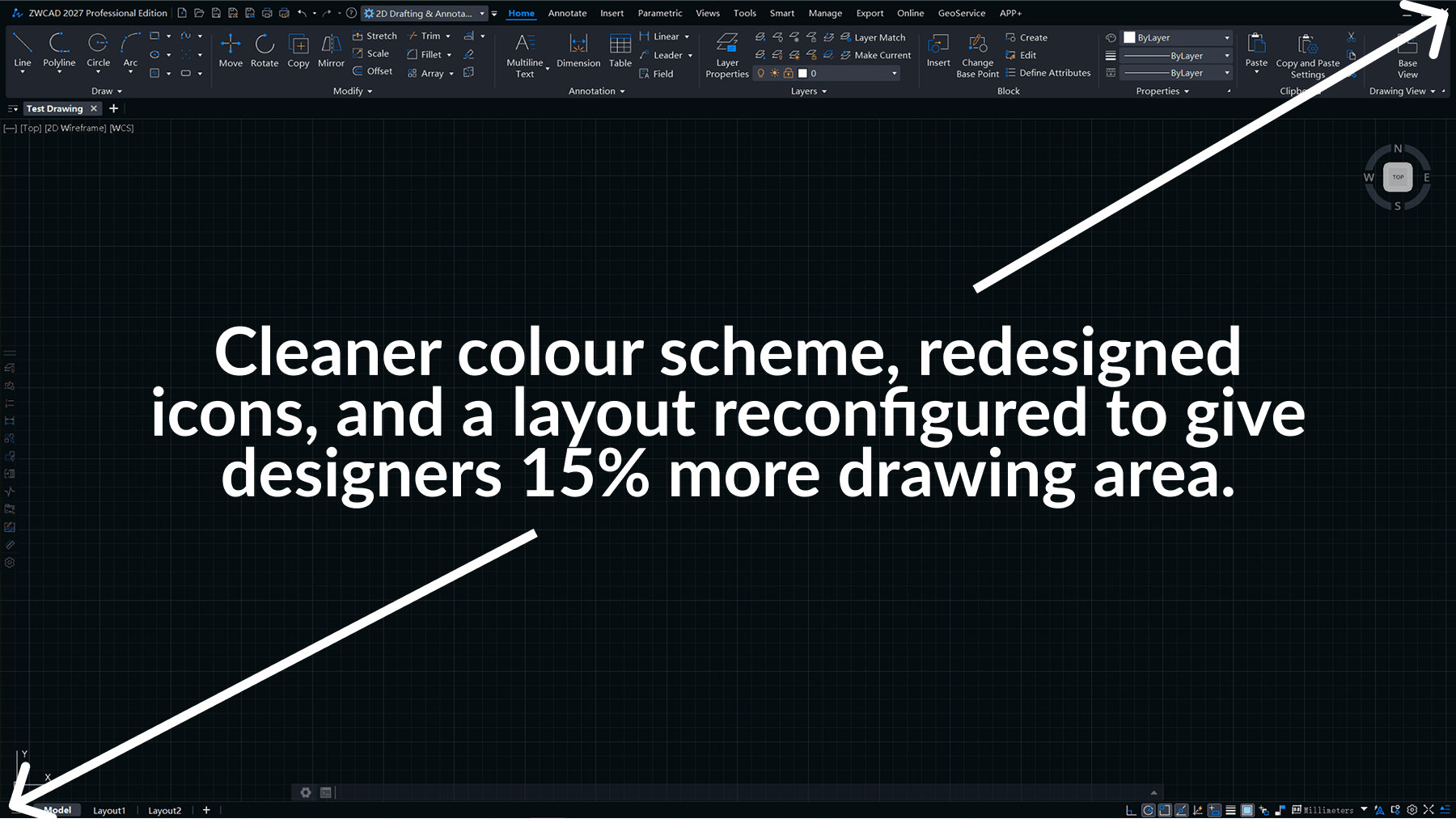
ZWCAD 2027 also ships with a refreshed interface with unified colour scheme, redesigned icons, and a layout that increases the drawing area by 15%. It’s the kind of update that sounds minor in a feature list but makes a meaningful difference when you’re staring at it for eight hours. The redesigned icons are more intuitive, the visual fatigue reduction is real, and the extra drawing space is particularly appreciated on laptop screens.
ZWCAD 2027 vs AutoCAD 2027: The honest comparison
We’re not going to tell you AutoCAD is a bad product; it isn’t. But there are some concrete, factual differences that are worth laying out clearly.
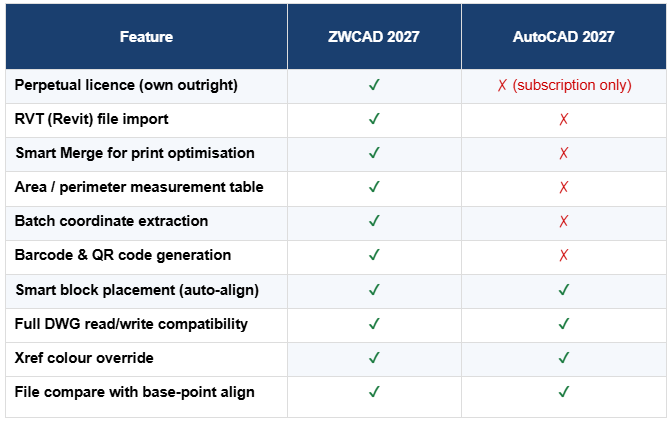
The full comparison runs to over 200 features. Contact us to request the complete document.
Cost vs value: The bigger picture
Feature parity is one part of the conversation. The other part is what you are paying for it, and whether the model under which you are paying serves your business or your vendor’s revenue targets.
To see a overview of how ZWCAD compares to AUTOCAD according to the requirements of your company i.e. number of seats, licence type, and how many years you intend to use the software, we have built a pricing calculator that puts the numbers side by side in real terms.
Who is ZWCAD 2027 built for in the UK?
Based on our experience transitioning over 100+ UK firms, here’s where ZWCAD tends to deliver the most obvious value:
- Structural and civil engineering consultancies running AutoCAD LT or full AutoCAD on multiple seats, where the annual licence spend has become a recurring frustration at board level
- Architectural practices receiving Revit models from structural engineers and spending time on workarounds to extract information they need in 2D
- Design teams doing quantity takeoff or coordinate-heavy work; the data extraction and coordinate tools alone justify the evaluation
- Firms with mixed project types who want the flexibility of choosing between perpetual and subscription licensing rather than being locked into a single model
- University departments and educational institutions running AutoCAD lab licences, where multi-seat costs add up quickly and ZWCAD’s academic pricing offers meaningful savings
It’s also worth noting what ZWCAD isn’t ideal for, at least in its current form. If your workflow is built around Revit as a primary authoring environment, or if you need advanced 3D solid modelling within the same tool, ZWCAD’s standard edition is a 2D-first product (the Pro edition extends this).
What does switching actually involve?
The honest answer: less than most people expect, more than some vendors admit.
The DWG compatibility means your drawing files open cleanly. The command logic is familiar enough that experienced AutoCAD users are typically productive within a few days, not weeks. The interface is recognisably similar. Existing templates, CTBs, and layer standards carry across.
Software decisions in professional practice are rarely made quickly, and they should not be. A CAD platform is not a peripheral tool; it sits at the centre of how your team works, how your drawings are produced, and how your projects are delivered. Getting it wrong is expensive in ways that go well beyond the licence cost.
What ZWCAD 2027 offers is not a reason to make a hasty decision. It is a reason to make an informed one. The Revit import capability, the performance benchmarks, the batch automation tools and the perpetual licence model are substantive improvements that deserve serious evaluation, not a five-minute demo.
The 30-day Beta trial through Cygnas Solutions is designed for exactly that kind of evaluation. Real drawings. Real workflows. Real support from UK-based engineers who have guided over 100 practices through this process. No pressure, no sales cycle running in the background; just enough time and enough support to reach a genuine conclusion.
If ZWCAD 2027 is right for your practice, you will know it within two weeks. If it is not, you will have lost nothing but a download and a conversation.